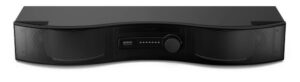


Need help connecting your
Mirai Speaker to the TV?
There are two ways to connect!
When connecting your Mirai Speaker, checking connection to the TV is often key to
achieve the best possible sound! Our speaker can be connected via Optical Cable
(recommended) or by a 3.5mm audio cable (AUX Cable).
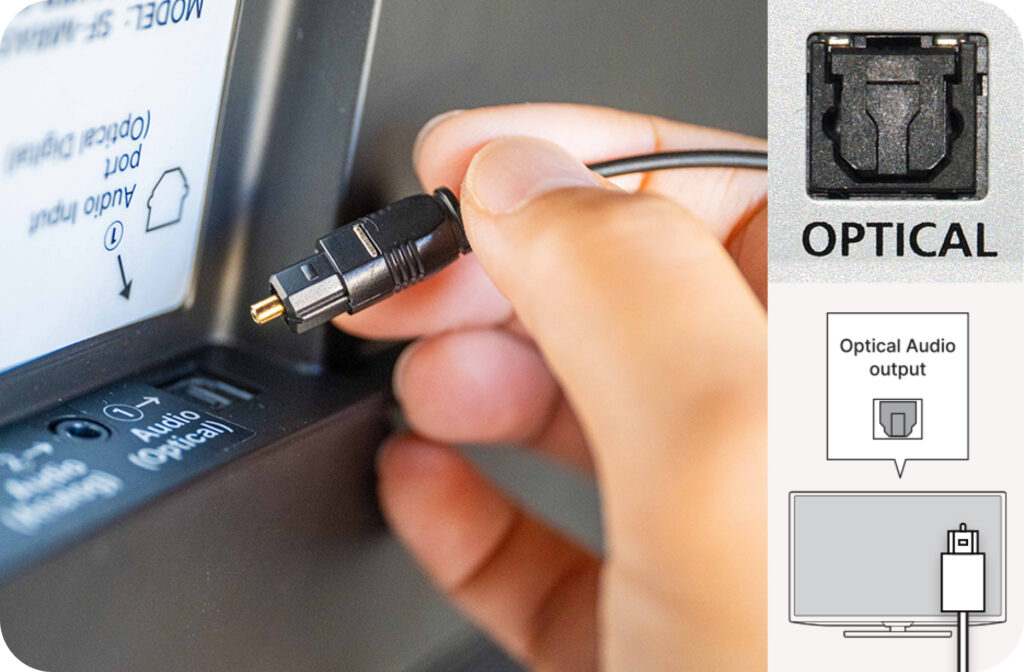
Optical Cable (Recommended)
An Optical Cable is a type of audio connection offering
enhanced digital audio. When using an Optical Cable,
you can output sound from both the TV and speaker.
Be sure to check your TV’s PCM Setting!
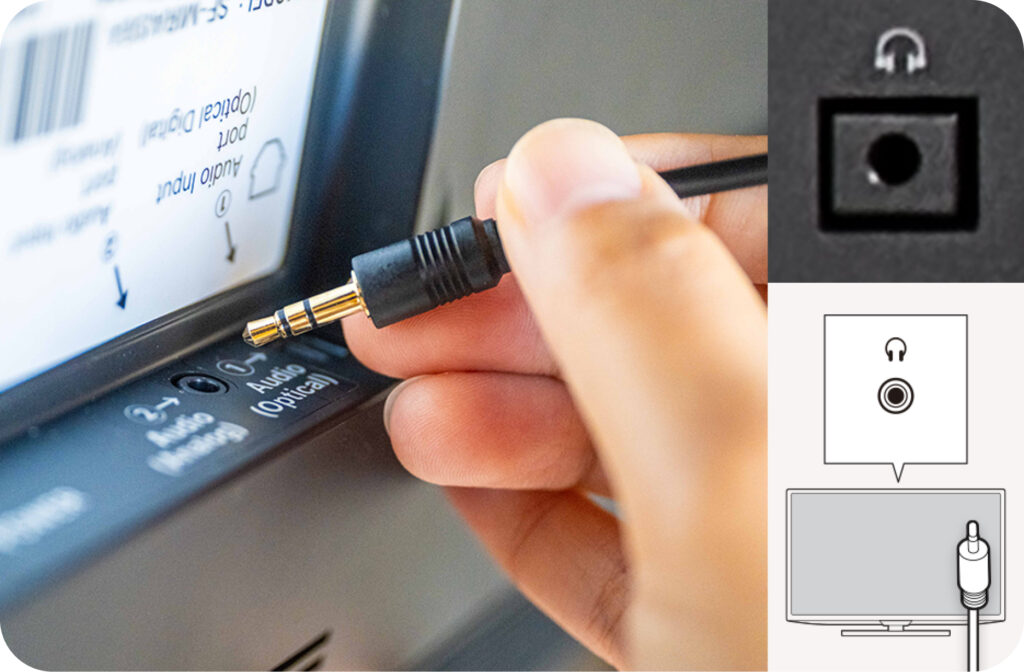
3.5mm Audio Cable (AUX Cable)
An AUX Cable is a type of audio connection that carries
an analog signal to a source device via AUX In / Out
jacks on TV and speaker. When using an AUX Cable, you
can output sound directly through the speaker.
Connecting with Optical Cable or
3.5mm Audio Cable (AUX Cable)
How to connect with the Optical Cable (Recommended)
Optical cable connection
Step 1: Insert the Optical cable into the OPTICAL / DIGITAL AUDIO OUT port of the TV.
<img class="" src="https://miraispeaker.net/wp-content/uploads/2024/07/Group-15440.jpg" alt="" width="400" height="236" />
Step 2: Insert the other end of the Optical cable into the ① AUDIO (OPTICAL) port of the Mirai Speaker. (※Please care for the Orientation of the terminal.)
<img src="https://miraispeaker.net/wp-content/uploads/2024/07/Group-15439.jpg" alt="" width="400" height="236" />
Step 3: Go to your TV’s Settings and fix the digital audio setting to PCM. Please see our guide below for more details.
<img src="https://miraispeaker.net/wp-content/uploads/2024/07/Rectangle-4014.jpg" alt="" width="400" height="236" />
Step 4: Adjust the audio to an appropriate volume.
<img class="" src="https://miraispeaker.net/wp-content/uploads/2024/07/Rectangle-4017.jpg" alt="" width="400" height="236" />
How to connect with the 3.5mm Audio Cable (AUX Cable)
Connect with 3.5mm jack
Step 1: Insert the AUX Cable into the AUDIO-OUT / headphone jack of the TV.
<img src="https://miraispeaker.net/wp-content/uploads/2024/07/Rectangle-4015-2.jpg" alt="" width="400" height="236" />
Step 2: Insert the other end of the AUX cable into the ② AUDIO (ANALOG) jack of the Mirai Speaker.
<img src="https://miraispeaker.net/wp-content/uploads/2024/07/Group-15439-1.jpg" alt="" width="400" height="236" />
Step 3: Adjust the audio to an appropriate volume.
<img src="https://miraispeaker.net/wp-content/uploads/2024/07/Rectangle-4017.jpg" alt="" width="400" height="236" />
How to Adjusting TV
Settings By TV Manufacturer
We have researched the settings for various manufacturers, so please refer to the
following information. As settings may vary depending on the model, even for the
same manufacturer, please be sure to contact your TV’s manufacturer for details.
*If there are two modes for PCM settings (Fixed & Auto), please set it to “Fixed”.
*Depending on the TV model, It may be necessary to configure not only the PCM setting
but also select the speaker output (e.g., external speaker > wired, etc.).
Select from our list of major TV Manufacturers
SAMSUNG
Customer Support Site: samsung.com/us/support/contact/
Customer Support Number: 1-800-726-7864
Adjusting PCM Settings & Connection Issues
How to connect external audio using an optical cable
How to connect your Soundbar to an external device using an AUX cable
Change the audio format on your Samsung TV
No sound from the soundbar
Finding Serial / Model of TV
How to find the Serial number and model of your TV
Find the Serial Number and Model Number of your TV (video)
HISENSE
Customer Support Site: hisense-usa.com/support
Customer Support Number: 1-888-935-8880
LG
Customer Support Site: lg.com/us/support
Customer Support Number: 1-800-243-0000, 1-850-999-4934
How to Connect a Soundbar with an Optical Cable
Connecting With An Optical Cable
How to Find the Model Number of your TV
SONY
Customer Support Site: sony.com/electronics/support
Customer Support Number: 239-245-6354
SONY | Connect a Soundbar to your TV
Troubleshoot No sound through the Optical output
How To: Connect devices to your Sony BRAVIA TV
How to find the model name of your TV
How to find your TV / Monitor model name and serial number (video)
VIZIO
Customer Support Site: support.vizio.com/s/?language=en_US
Customer Support Number: 1-844-254-8087
TCL
Customer Support Site: https://support.tcl.com/contact-us
Customer Support Number: 1-877-300-8837
I connected my sound bar to the TV via optical cable, but I don’t hear any sound
Is your specific TV manufactuer not listed above, or need more help?
Contact Us and we will add it, and help you directly!
Any Immediate Questions?
Reach out to our Mirai Speaker Support Team and
we will get back to you shortly!